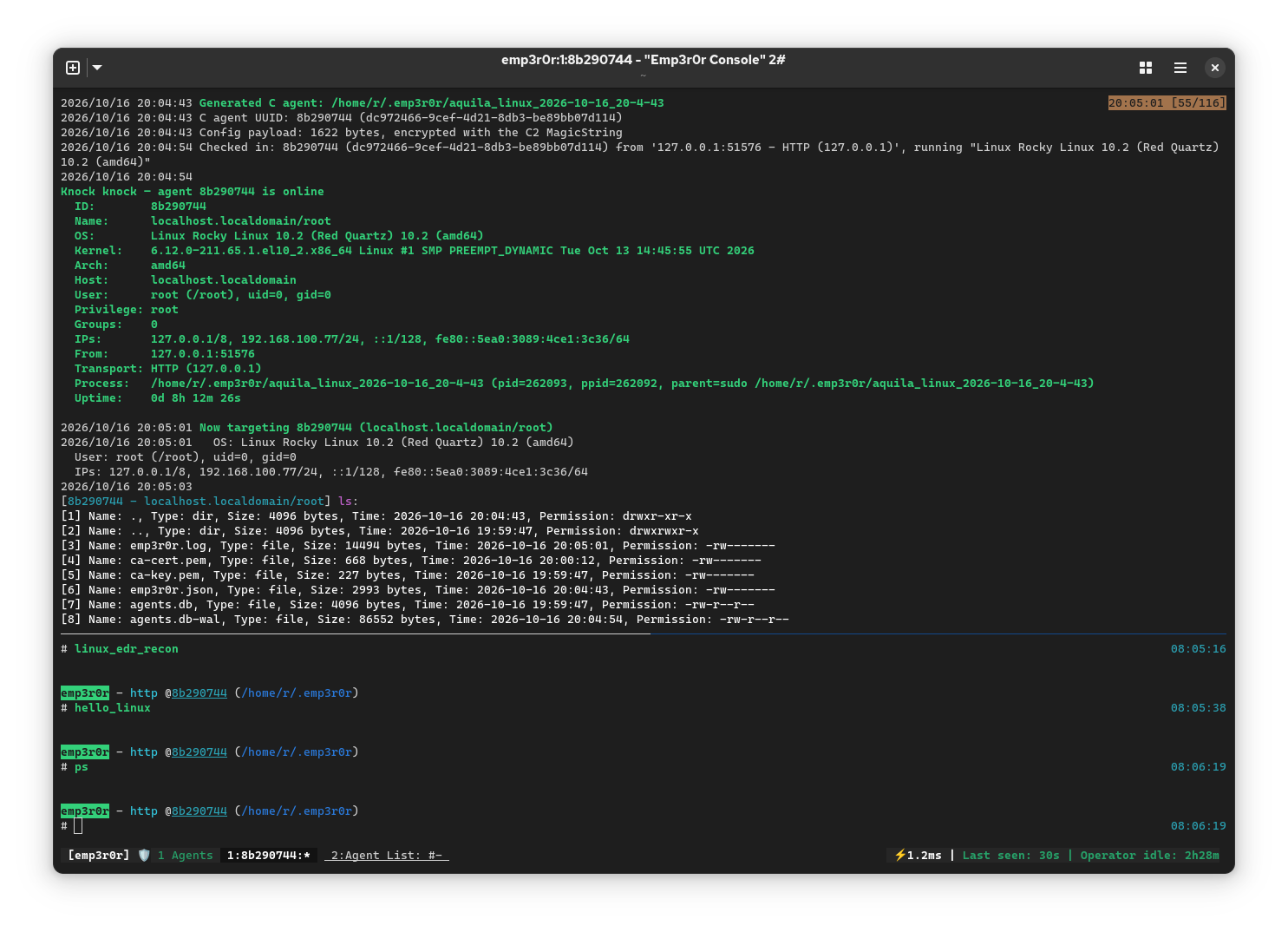
Before we start
This is lesson zero of a course on building a Linux C2 agent from the operating system up. It is not a manual for my project. I will use my own agent as an example here and there, but the point is for you to understand Linux well enough to build your own, on whatever design you like.
Some history
The first Linux distro I used was Ubuntu 8.04. I have been writing Linux malware since 2015.
In my first year at Topsec, I decided to build something people would know me for. That became emp3r0r, created in 2019.
I built a dedicated Linux C2 because almost nobody had serious Linux support. Most people were taught to throw a reverse-shell one-liner at a target and import pty to "upgrade" it into a usable shell. I wanted to know why we could not have decent tools. So emp3r0r shipped with proper PTY support and a built-in SSH server: seamless SFTP with whatever file manager you already use, and a remote PTY that works with any CLI tools you need to run.
Later I expanded emp3r0r to Windows. I hand-rolled a conhost-based interactive shell and wrote it up in Fully Interactive Remote Shell for Windows. For PTY-like remote consoles on Windows hosts that predate ConPTY, I later switched to go-console, a cross-platform PTY wrapper. On Windows it is backed by winpty, Ryan Prichard's C++ PTY emulation, through the go-winpty binding. Eventually I moved the whole thing to proper ConPTY support. As far as I know, I was the only one supporting remote interactive shells on those older Windows hosts.
Years went by, and I learned more about malware and Linux.
emp3r0r was designed as a Go C2 largely because Go cross-compiles beautifully: one binary runs on any Linux distro out of the box, with none of the glibc nightmare. Not long after, I ran into Go's issues. It is bloated: a useful Go agent (implant, or whatever you prefer) is 10MB or more. It is also inflexible, because you cannot unload or reset the Go runtime, which makes a real sleep mask impossible: the trick of encrypting or unmapping the implant while it is idle, so a memory scanner finds nothing useful. I guess people write C2s in C for a reason.
Today I am writing a new C2 agent from scratch, and emp3r0r now has an experimental pure C agent. It is not a statically linked, self-contained blob like most Linux malware. It is surgical: it leans on code that is already on the system, the way mature Windows malware does. Well, Linux is not Windows. There is far less code you can just call out of the box, and that is the central challenge of Linux malware.
In fact, a statically linked executable in certain locations is almost equivalent to an admission of Linux malware. Most system binaries are dynamically linked, so a static blob sitting in /tmp or /dev/shm stands out immediately. Commodity malware authors do not care: they static-link their crypto miners so one binary runs on every Linux machine without recompiling for each environment.
For too long, Linux malware has lagged behind Windows. Cheap tricks such as LD_PRELOAD (a loader feature that injects a library into a process) and memfd_create (a file that exists only in memory, with no path) are treated as sophisticated APT tradecraft simply because nobody has seen decent Linux malware. In this age when AI coding is the new normal, there is no excuse for still using outdated bullshit.
Who this course is for
You should be comfortable writing C, compiling it, and using a Linux shell. You do not need to know anything about ELF files, syscalls, or the dynamic linker. I will explain each term the first time I use it, with a small thing to try, so you can see it for yourself instead of taking my word for it.
A note on architecture: unless I say otherwise, this course targets x86-64 Linux, because that is what most servers and the examples use. The ideas carry over to ARM64 almost unchanged, but the details do not: ARM64 kernels can use 4KB, 16KB, or 64KB pages, and they make system calls with the svc instruction instead of syscall. Where architecture matters, I will say so.
By the end of this lesson you should be able to answer these questions:
- If the kernel is the only thing that touches hardware, how does your code ever run?
- Why can't you just drop code into memory and jump to it?
- What actually happens when you call a C function like
read()? - What is libc, and why might you avoid it?
- What is TLS doing, and why not ship your own?
- What is inside an ELF file, and how does code end up running from memory?
Part I — How a program runs
1. A program is a guest in the kernel's house
Want to read a file? There is no CPU instruction for that. Want to open a socket? There is no CPU instruction for that either. The CPU knows how to move numbers around, do arithmetic, and jump. Everything else, disks, network cards, timers, is owned by the kernel, and the kernel is pre-existing native code that runs in a privileged CPU mode.
Think of the kernel as the only person with keys to the building. Your program is a visitor. It can walk around its own room (its memory), but it cannot go into the server room, and it cannot change the locks. When it wants something done, it has to ask.
That ask is a syscall (we will cover those in lesson 3). That request is the whole relationship between a program and the operating system, and almost everything interesting in this course happens at that boundary.
A running program is a process: an isolated box with its own private view of memory, plus one or more threads of execution. That memory is virtual. The CPU translates every access through page tables the kernel maintains, so a process believes it owns the whole address range while the kernel quietly shares and recycles physical memory underneath. That is why two processes can both use address 0x400000 without colliding, and why a pointer from one process means nothing in another.
See the real layout of a running program for yourself:
cat /proc/self/maps
5615db845000-5615db847000 r--p 00000000 00:2f 1074485  /usr/bin/cat
5615db847000-5615db84c000 r-xp 00002000 00:2f 1074485  /usr/bin/cat
5615db84c000-5615db84f000 r--p 00007000 00:2f 1074485  /usr/bin/cat
5615db850000-5615db851000 rw-p 0000a000 00:2f 1074485  /usr/bin/cat
5615f7acc000-5615f7aed000 rw-p 00000000 00:00 0        [heap]
7f9b6b2b5000-7f9b6b2db000 r--p 00000000 00:2f 1081041  /usr/lib/x86_64-linux-gnu/libc.so.6
7f9b6b2db000-7f9b6b431000 r-xp 00026000 00:2f 1081041  /usr/lib/x86_64-linux-gnu/libc.so.6
7f9b6b49c000-7f9b6b4a0000 r--p 00000000 00:00 0        [vvar]
7f9b6b4a0000-7f9b6b4a2000 r-xp 00000000 00:00 0        [vdso]
...
Each line is one region of memory. Read it left to right:
- address range: where the mapping starts and ends in the process's virtual address space
- permissions:
rwxp.ris read,wis write,xis execute, and the last letter ispfor private (copy-on-write) orsfor shared - offset: how far into the file the mapping starts
- device: the major:minor of the filesystem that holds the file
- inode: the file's inode number (often
0for anonymous mappings) - pathname: what the mapping is, or a label like
[heap],[stack],[vvar],[vdso]
The first entries are usually your program's code and data, then the heap, the stack, and a set of files from disk. Keep this output around; it is the ground truth for most of this course.
2. Memory, pages, and how code runs
The kernel does not hand out memory one byte at a time. It works in fixed-size chunks called pages, usually 4KB. Every page has permissions the CPU enforces: readable, writable, executable, or not. On x86-64, "not executable" is a page-table bit called NX (no-execute).
A page can be marked writable and executable at the same time, and that combination is dangerous: anything that can write to the page can then run what it wrote. So there is a rule of thumb called W^X, short for "write XOR execute": a page should be writable or executable, never both. The "XOR" comes from logic: one or the other, not both. Some hardened systems enforce W^X strictly; on a normal Linux box it is more of a discipline that good software follows. Be precise about what it protects, though: W^X only matters when an attacker has a write primitive but not yet control flow. Once code is already running in the process, it can just mprotect the page back to writable, so W^X is not a boundary against that. As a malware developer, you want your program to behave like widely-used legitimate software, so defenders have no clear baseline that makes you stand out.
Why do we even care what permissions our memory pages have? This comes down to how code is executed on Linux (and most operating systems). Let's go down to the bottom, because this is where a lot of people stop understanding and just repeat words.
The CPU only speaks machine code
A CPU is a chip that executes a stream of binary instructions. It can load a number, add two numbers, compare them, jump somewhere else, read or write memory. That's the vocabulary. Those instructions are called machine code, and it is the CPU's native language. Machine code is binary, not text. When you disassemble it, you get assembly, the human-readable form of the same instructions, something like xor rax, rax.
Machine code is specific to a CPU family. An Intel or AMD chip and an ARM phone speak different instruction sets, so the same machine code does not run on both. When you compile a C file, that is exactly what the compiler is doing: translating your x + 1 into whatever instructions your target CPU understands.
Here is a real function, disassembled with radare2:
$ r2 -q -c 'aa; s main; pdf' /bin/true
0x00002310      83ff02         cmp edi, 2                  ; argc
0x00002313      7403           je 0x2318
0x00002315      31c0           xor eax, eax
0x00002317      c3             ret
0x00002318      55             push rbp
0x00002319      488d2d683d..   lea rbp, [0x00006088]       ; "coreutils"
0x00002320      53             push rbx
0x00002321      4889f3         mov rbx, rsi                ; argv
0x00002328      e8a3050000     call fcn.000028d0
...
The bytes in the middle are the machine code; the text next to them is the assembly it means. xor eax, eax is the idiomatic way to zero a register, and 83ff02 is the same idea in binary.
So how do Python and bash run, then?
If the CPU only runs machine code, how can you run a text file full of Python? You don't. You run the interpreter, /usr/bin/python, which is a native program somebody already compiled for your CPU. The interpreter opens your script, reads it, and does what each line says. Your script is not code the CPU executes; it is data the interpreter reads and acts on. The interpreter is the code.
Same for bash. /bin/bash is native machine code; your .sh file is input to it.
Java, bytecode, and virtual machines
Java is the middle case, and it is where two words trip everyone up: bytecode and virtual machine.
Java wants two things at once: ship one file that runs everywhere, and don't hand out source code. If it compiled straight to Intel machine code, that file would not run on ARM. If it shipped source, every machine would need a compiler and would have to compile it first.
So Java compiles your source to bytecode: a list of instructions for a CPU that does not physically exist. If you have seen assembly, bytecode looks like assembly for an imaginary machine. The instructions are small, usually one byte each, which is where the name comes from. One instruction might mean "load the value in local slot 3", another might mean "add the top two values", another "call this method".
Your real CPU cannot run those instructions, because it has never heard of them. You need something that has. That something is the virtual machine (for Java, the JVM). A VM is a native program that pretends to be a CPU: it reads bytecode instructions one at a time and carries them out. So your real CPU runs the JVM, and the JVM runs your bytecode. The bytecode is data; the JVM is code.
Why bother with all this? Portability. Bytecode is the same on every platform. The only thing that has to be ported is the VM, and once a platform has a VM, every Java program runs on it.
A VM gives you more than portability. It is a managed environment. It keeps its own call stack for method calls, its own heap that it cleans up for you (garbage collection), and its own rules. That is why a Java error gives you a Java stack trace instead of a segmentation fault.
And a modern VM does not just interpret forever, because that would be slow. It watches which bytecode runs the most, compiles just those parts into real machine code while the program is running, and then executes the native version. That is a JIT, a just-in-time compiler. Which means a running Java process really does have native machine code in memory that was generated on the spot, and that code sits in anonymous executable pages, the exact thing from the previous section. So "it's just a Java process" is not a great excuse when a scanner finds executable memory in it.
One warning, because "virtual machine" is an overloaded term. The JVM is a process virtual machine: it emulates a CPU for one program, inside a normal process. When people say "a VM" meaning a whole computer running an operating system, like QEMU or VirtualBox, that is a system virtual machine: it emulates an entire computer, devices and all, and runs an OS inside. Both are called VMs. They are not the same thing.
There is one more wrinkle. A system VM runs a guest operating system, and a kernel executes privileged instructions that the CPU normally allows only for the real kernel. Modern system VMs handle that with hardware virtualization (Intel VT-x, AMD-V): the guest kernel's privileged instructions run directly on the CPU, under the hypervisor's control. Before that hardware existed, the hypervisor had to trap each privileged instruction and emulate it in software, which was much slower. So "it's a VM" can mean two very different things under the hood.
So everything that runs is native code
To be clear: whatever you write, the thing the CPU executes is native machine code. There are three common routes to get there:
- compiled ahead of time to native code (C, C++, Go, Rust),
- interpreted from source by a native interpreter (Python, bash),
- compiled to bytecode and run by a VM, often with a JIT (Java, C#, JavaScript).
Native code normally lives in two kinds of file: executables and shared libraries (DLLs on Windows).
A process is the container
Now the part that matters for us. Linux is not designed to run loose native code on the fly. A process is the container that native code runs in, and a process is created from an executable file in the file system. Note that I didn't say "on the disk". A file is not a disk, and Linux has plenty of files that were never on one. /dev/shm is a RAM-backed filesystem (tmpfs), so a file there lives in memory and disappears on reboot. memfd_create is the same idea one step further, but it is not a stealth upgrade. It does not change the nature of ELF loading: the image still has to be mapped, relocated, and entered, and it is still backed by a file, just one with no path. It is also trivial to dump: cat /proc/<pid>/fd/<n> hands over the whole contents. A memfd hides the path, not the loading.
Okay, now, you might already have guessed the answer. Windows C2s inject their code into existing or sacrificial processes as threads (a thread is a running code flow that shares the process's memory). In Linux, we must do something similar, but the environment is different.
Windows is a binary distribution. The OS is designed to load proprietary code all the time, so process injection, remote thread creation, and RPC calls are common and unremarkable. Linux is not built that way. If you try the same tricks there, you have very few options: ptrace (a debugging API), loading a shared library, or writing straight into another process's memory. All of them are loud and easy to detect. And loading a shared library is not really a separate option: either you set LD_PRELOAD before the process starts, or you need ptrace (or process_vm_writev) to make a live process load it.
By the way, why run code inside a process at all, instead of just launching an ELF from the file system? Because then your payload has to be written to the file system, where it is trivial to fingerprint before it ever runs. execve is easy to inspect, and a scanner can simply read the file and match a signature. You cannot hide it, because the file has to be a valid ELF the OS can load. Packers exist to conceal as much as possible, but they only raise the bar.
There is also a rule of thumb here: don't rewrite your whole implant every time it gets detected. Keep it modular, expose only what has to be exposed, and when a piece gets burned, rewrite just that piece. Code that is already running is far more expensive to detect, because catching it means scanning process memory.
So if you avoid launching an ELF from the file system, your code ends up running as a thread that belongs to neither the executable nor any shared library the process has loaded. It shows up in the process mappings as anonymous pages. This is often seen in JIT processes (such as Java, but even GNOME has GJS, so it's actually more common than you think).
The W^X dance
W^X is why you cannot simply drop new machine code into a buffer and jump to it. The buffer is writable, not executable. To run code that did not come from a file, you have to change permissions as you go:
#include <sys/mman.h>
#include <string.h>

int main(void) {
    /* x86-64 machine code for: mov eax, 42; ret */
    unsigned char code[] = {0xb8, 42, 0, 0, 0, 0xc3};

    void *page = mmap(NULL, 4096, PROT_READ | PROT_WRITE,
                      MAP_PRIVATE | MAP_ANONYMOUS, -1, 0);
    memcpy(page, code, sizeof(code));            /* writable, not runnable */
    mprotect(page, 4096, PROT_READ | PROT_EXEC); /* runnable, not writable */

    int (*fn)(void) = (int (*)(void))page;
    return fn();
}
mmap asks the kernel for memory. MAP_ANONYMOUS means "not backed by a file at all". mprotect changes a mapping's permissions. Only after the second call can the CPU run those bytes. Compile it, run it, and check the exit code:
gcc wxtest.c -o wxtest && ./wxtest; echo $?
You should see 42. If you comment out the mprotect line, the program crashes with a segmentation fault, because the CPU refuses to execute a page that is only writable. That crash is W^X doing its job.
JIT runtimes generate code at runtime and hit the same constraint, so they do the same write-then-execute flip, or keep two mappings of the same memory, one writable and one executable.
The result of this dance is anonymous executable memory: memory the CPU can run that is backed by no file. Most programs have none; JIT runtimes are the exception we already talked about. That makes it one of the strongest signals a process can emit, and it is the central tension of running code in memory: to do it at all, you must create something legitimate software almost never creates. We will spend a lot of this course managing that tension.
Part II — The system and its libraries
3. Syscalls: asking the kernel for a favor
A syscall (system call) is a kernel function that a user process can call to ask for something it cannot do itself. The CPU needs a defined way to make that request, and that convention is an ABI, an application binary interface: the low-level rules for how functions or syscalls are called. On x86-64 it goes like this: put the syscall number in rax, up to six arguments in rdi, rsi, rdx, r10, r8, r9, then execute the syscall instruction. The CPU switches into the kernel, the kernel does the work, and the result lands back in rax. A negative result is an error code, which is where the familiar errno comes from. Here is a complete one:
; equivalent to write(1, "hi\n", 3)
mov rax, 1          ; syscall number for write
mov rdi, 1          ; first argument: fd 1, stdout
lea rsi, [msg]      ; second argument: pointer to the bytes
mov rdx, 3          ; third argument: length
syscall
Every syscall number is specific to a CPU architecture. read is 0 and mmap is 9 on x86-64, but the same names have different numbers on ARM. If you ever port low-level code, that is the kind of thing that bites you.
When you write C, you never touch this. read(), open(), and write() are ordinary functions in the C library that eventually execute the same instruction. You can watch it happen:
strace -e trace=openat,read,write cat /etc/hostname
openat(AT_FDCWD, "/etc/ld.so.cache", O_RDONLY|O_CLOEXEC) = 3
openat(AT_FDCWD, "/lib/x86_64-linux-gnu/libc.so.6", O_RDONLY|O_CLOEXEC) = 3
read(3, "\177ELF\2\1\1\3\0\0\0\0\0\0\0\0\3\0>\0\1\0\0\0\20t\2\0\0\0\0\0"..., 832) = 832
openat(AT_FDCWD, "/etc/hostname", O_RDONLY) = 3
read(3, "4f1104399031\n", 131072)       = 13
write(1, "4f1104399031\n", 13)          = 13
read(3, "", 131072)                     = 0
+++ exited with 0 +++
Every line is a syscall your program made, with its arguments and result. So the next time someone says a program "just runs", remember: under the hood it is mostly openat, read, mmap, and write.
A payload that wants to stay small can skip the C library entirely and make these calls itself. That is freestanding code, and it is exactly what a shellcode stager is. There is a good reason to do that beyond size.
Windows and Linux are opposites on stability, and Linux is ahead on visibility too.
On Windows, syscall numbers are undocumented and change between releases; normal software stays on the documented Win32 API, while malware deliberately issues the syscall itself to dodge the userland hooks EDRs plant in that API. Those hooks exist because userland is stable and gives you the full call arguments and context, and because the kernel is largely off limits: PatchGuard will bugcheck the machine if you tamper with critical kernel structures, and shipping your own driver means dealing with Microsoft's signing requirements. But userland hooks are not all an EDR has. The kernel still provides plenty of telemetry, through process and image callbacks, minifilters, and ETW. That kernel visibility is just not enough on its own, which is why EDRs hook userland as well. Direct syscalls skip the userland hooks; they do not make you invisible to the kernel.
Linux handles this better. Its instrumentation is built into the kernel instead of bolted onto userland. eBPF programs attach to kprobes, tracepoints, or LSM hooks and run inside the kernel, and once they are loaded, a userland process cannot unhook them or detach them without privileges. There is no ntdll stub to rewrite and no userland hook to restore. uprobes go further: the kernel can instrument a specific userland function directly, so you get the arguments and context a Windows userland hook would give you, but the hook is owned by the kernel rather than by the process it watches, which also makes it far more reliable. That is why Linux EDRs lean on eBPF while Windows EDRs lean on userland hooks. The catch is the same privilege boundary in reverse: loading eBPF needs root or CAP_BPF, and an attacker who already has that can detach it just as easily.
The stability picture goes the other way. Linux keeps a stable syscall interface for a given architecture, and the numbers do not move. The unstable part on Linux is libc: glibc is not forward compatible, so a binary built against a newer glibc may not start on an older one.
The catch with going freestanding is that you now own every detail, and one of them is easy to miss: the kernel can see where your syscall instruction ran from. In a normal program, that address is inside libc, a mapped region backed by a file on disk. In shellcode, it is inside anonymous memory, and that mismatch stands out. The kernel maps a small shared library into every process, called the vDSO (virtual dynamic shared object). It shows up in /proc/self/maps as an ordinary mapped region and contains a syscall; ret sequence. Call into the vDSO instead of issuing the instruction yourself, and the syscall appears to come from a normal, kernel-provided address. This is what people mean by indirect syscalls. Be honest about the limits, though: the syscall still happens and is still recorded. You changed one address a detector can inspect, not the event itself.
One last freestanding problem. If your code is mapped read-and-execute, it cannot hold a mutable variable, because writing would crash the process. So where do you keep a cached function pointer or a counter? On x86-64 you can point the GS segment register at a separate writable page and reach it through %gs:0. It is a common trick for code that has no writable data of its own.
Here is the catch with going freestanding. There are only a few hundred syscalls, and they are primitive: read and write move bytes, mmap gives you pages, socket hands you a file descriptor. There is no strcpy, no printf, no DNS resolver, no HTTP client, no TLS. If you refuse libc and insist on raw syscalls for everything, you end up reimplementing all of it, and the payload balloons with code you never wanted to write. That is exactly why Go agents are so fat: Go does not link libc, it talks to the kernel directly, and it ships its own runtime, scheduler, allocator, networking, and TLS. The binary carries what a C program would just borrow from the machine.
That is only true with cgo off, which is the normal choice when cross-compiling: CGO_ENABLED=0 gives you a static binary with the pure-Go runtime and resolver. Turn cgo on and Go links libc after all. You do that for real interop with C, and one case forces it: building a shared library. -buildmode=c-shared produces a .so (or a DLL on Windows) that another program can load and call, and it needs cgo to set up the C ABI and start the Go runtime. If you want an agent that dlopens into a process or is called from C, that is the route. The gain is exactly that interop, plus direct access to system libraries and the system resolver. The catch is that you have walked back into the glibc mess: the binary is no longer self-contained, so it inherits the host's libc and loader and the ABI pinning that follows. cgo also has runtime costs. C and Go signal handlers, thread scheduling, and fork/exec all have to agree, every cgo call crosses a boundary that is not free, and cross-compiling now needs a C toolchain for each target.
For an implant, the better move is not to rewrite libc but to reuse the one already on the machine: find a library that is already loaded and call into it. That is what the next section is about.
4. libc and the dynamic linker
Here is a thing that confuses almost everyone: libc is not the operating system. glibc and musl are just two implementations of the C standard library, and they are ordinary user-space programs. The kernel does not know or care which one you have. libc gives you printf, malloc, string handling, and thin wrappers around the syscalls we just looked at.
On Windows, the C runtime is called the CRT (msvcrt.dll, or ucrtbase.dll plus vcruntime on modern builds), and it covers the same ground as libc: the C standard library and process startup. That is where the similarity ends, because the layering is different.
On Linux, glibc is a thick layer. Besides the C standard library, it wraps the syscalls (read, open, mmap) and provides threading, dlopen/dlsym, name resolution, and locale. On Windows, the CRT is thin. It does the C standard library and startup and stops; syscalls and the OS API live elsewhere, in ntdll.dll and the Win32 DLLs.
And Windows ships a lot of those DLLs as part of the OS. ntdll.dll is the syscall layer and the loader, kernel32.dll is the base API, ws2_32.dll is sockets, winhttp.dll and wininet.dll do HTTP, schannel.dll does TLS, and bcrypt.dll/crypt32.dll do crypto and certificates. A program imports them, or calls LoadLibrary at runtime. The core ones, ntdll, kernel32, ws2_32, bcrypt, crypt32, are always there; winhttp/wininet/schannel are present on normal installs but can be missing from stripped-down images.
None of those DLLs run in kernel mode. They are user-mode libraries mapped into your process, the same way a .so is mapped into a Linux process. When one needs something only the kernel can do, it calls into ntdll.dll, which holds the syscall stubs, and the CPU traps into kernel mode from there. ntdll.dll is the boundary.
The kernel side is where the .sys drivers are. Socket calls from ws2_32.dll land in afd.sys and the network stack, file and registry work goes through the file system and registry drivers, and crypto can escalate into kernel-mode CNG (cng.sys, ksecdd.sys). So the DLLs give you the API, and the drivers do the privileged work, the same userland/kernel split as Linux with an extra hop through ntdll.
Those drivers are not just plumbing, either. Windows already ships kernel implementations of almost everything a C2 needs: the TCP/IP stack and Winsock, file systems and filters, named pipes, the registry, process and token management, and crypto. You reach all of it through documented APIs, without writing or shipping a driver yourself.
That list stops at TCP and crypto, though. TLS and HTTP are not kernel features: TLS is Schannel, a user-mode SSPI package, and the HTTP client is WinHTTP or WinINet, also user mode. The one HTTP piece that lives in the kernel is http.sys, and that is a server, not a client. So the protocols still live in userland, and the kernel is just what they sit on.
Compression is half-and-half. The kernel does expose Microsoft's own algorithms, through the Rtl compression routines (LZNT1, XPRESS, LZX), and both NTFS transparent compression and SMB compression use them. But gzip/zlib and ZIP are user-mode; the kernel will not speak the formats the rest of the world uses. So you can compress without shipping a library, as long as you accept Microsoft's formats.
Linux is different. The kernel does a lot (the table below shows TCP/IP, SMB, crypto, and compression for its own filesystems), but the pieces a C2 actually wants, an HTTP client, TLS, and the compression formats everyone else uses, are userland projects: libcurl, OpenSSL, zlib. Whether they exist depends on the distro or the container, and a minimal image may have glibc and nothing else. So you cannot assume the feature is present. You link it, ship it, or resolve it at runtime and handle it being missing.
Putting it together, here is where each side puts the same features:
| What | Windows | Linux |
|---|---|---|
| Syscall entry | ntdll.dll (Nt*/Zw* stubs) → ntoskrnl.exe |
syscall instruction → kernel |
| C runtime | ucrtbase.dll, vcruntime140.dll, msvcrt.dll |
glibc (libc.so.6), musl (libc.so) |
| Process/thread | kernel ntoskrnl (Ps*), user kernel32.dll |
kernel clone/fork; glibc/musl pthread |
| TCP/IP | tcpip.sys, netio.sys |
net/ipv4, net/ipv6, netfilter |
| Sockets | afd.sys + ws2_32.dll |
kernel sockets; glibc/musl wrappers |
| SMB | client mrxsmb.sys/rdbss.sys, server srv2.sys |
client cifs.ko, server ksmbd.ko |
| IPC | npfs.sys (named pipes), msfs.sys (mailslots), ALPC |
UNIX sockets, FIFOs, SysV IPC, io_uring |
| TLS | schannel.dll (SSPI) + bcrypt.dll |
user libssl/libcrypto (OpenSSL), libgnutls, libmbedtls; kernel tls.ko (kTLS records) |
| HTTP client | winhttp.dll, wininet.dll |
libcurl, libnghttp2 |
| HTTP server | http.sys (HTTP Server API) |
libmicrohttpd, nginx, Apache |
| Crypto | kernel cng.sys/ksecdd.sys; user bcrypt.dll, ncrypt.dll, crypt32.dll |
kernel Crypto API + af_alg (AF_ALG); user libcrypto, libgnutls, libsodium |
| Compression | kernel Rtl* (LZNT1/XPRESS/LZX) in ntoskrnl/ntfs.sys/srv2.sys; user cabinet.dll, zipfldr.dll, wimgapi.dll |
kernel zlib/lzo/lz4/zstd in zram/zswap/btrfs/squashfs; user libz, libzstd, liblz4, liblzma, libarchive |
| DNS | dnsapi.dll, ws2_32.dll, DNS Client service |
glibc NSS (libnss_dns), systemd-resolved, libc-ares |
| Config | registry (kernel configuration manager), advapi32.dll |
files (/etc, /proc, /sys), libsystemd |
| Telemetry | kernel ETW/ETW-TI, fltmgr.sys minifilters, callbacks; user hooks in ntdll.dll |
kernel eBPF/tracepoints/LSM/uprobes (bpf(), libbpf), perf_event_open, fanotify, audit |
| Firewall | WFP (fwpkclnt.sys, Fwpuclnt.dll) |
netfilter/nftables (nf_tables, libnftnl), XDP/tc (libbpf) |
The pattern is consistent: Windows splits a feature across a user-mode DLL and a kernel driver, and ships both. Linux either puts the whole thing in the kernel, or leaves it to a userland project you may or may not have.
That is also why tiny Windows malware is a thing and tiny Linux malware mostly is not. On Windows, almost everything is a stable, documented call backed by a driver the OS already installed, so a few kilobytes can do a lot. On Linux, the same capability usually means linking a userland library whose ABI and presence you cannot count on, or writing it yourself. That trade-off is the whole reason the rest of this course exists.
Most programs link libc dynamically. The executable does not contain libc; it contains a list of shared libraries it needs and the name of the dynamic linker (ld.so), which loads them when your code starts. That linker maps each required .so file into memory, resolves every name the program references (a symbol, like printf), and jumps to your entry point. So a running program is really a mix of its own code and a bunch of shared libraries. You can see the list:
ldd /bin/ls # which shared libraries ls needs
    linux-vdso.so.1 (0x00007f94e5704000)
    libselinux.so.1 => /lib/x86_64-linux-gnu/libselinux.so.1 (0x00007f94e56a7000)
    libc.so.6 => /lib/x86_64-linux-gnu/libc.so.6 (0x00007f94e54c5000)
    libpcre2-8.so.0 => /lib/x86_64-linux-gnu/libpcre2-8.so.0 (0x00007f94e542b000)
    /lib64/ld-linux-x86-64.so.2 (0x00007f94e5706000)
And you can see where the kernel put them:
cat /proc/self/maps | grep -i libc
Two things here matter to us.
First, a dynamic binary tells on itself. Its strings name the libraries and functions it uses, which is a fingerprint. That is why commodity Linux malware links statically: one self-contained binary runs everywhere. The trade-off is that a static binary is weird on a normal desktop or server, where almost everything is dynamic, so it sticks out just by existing.
Second, you do not need to link a library to use it. You can find it at runtime and call into it. The usual tools are dlopen (load a shared library) and dlsym (look up a symbol in it). There is a wrinkle: those used to live in a separate libdl.so, and glibc 2.34 folded them into libc itself, while musl never had a separate libdl. Doing this by hand means coping with that.
dlopen — Windows calls it LoadLibrary — needs a real file in the file system. It opens it, maps it, resolves its symbols, and runs its constructors. That is a problem when your payload only exists in memory. So malware stops asking the dynamic linker and writes its own loader instead: map the ELF segments by hand, apply the relocations, resolve the imports from libraries that are already loaded, and jump to the entry point. Windows people call this reflective loading; on Linux it is the same idea, usually just called in-memory ELF loading. The gain is that the payload image never touches the file system. The cost is that you own the relocation and symbol code, which is where loaders get their bugs.
People bring up memfd_create here, so it is worth being clear about why it is not a way around this. It does not change the nature of ELF loading: the image still gets mapped, relocated, and entered, and it is still file-backed, so nothing becomes truly anonymous. What it changes is telemetry, and in the wrong direction. The descriptor sits in /proc/<pid>/fd, and because the object was loaded through dlopen, it is enumerable like any other shared object: dl_iterate_phdr, lsof, or a plain read of /proc/<pid>/maps will list it. The name it reports is a /memfd:... path, for example 7f... r-xp 00000000 00:01 33014 /memfd:libmalware.so (deleted), a shared object with no path anywhere in the file system. That is not what normal applications look like, and it is a glaring anomaly for an EDR.
You can see the symbol versions in the table:
$ nm -D /lib/x86_64-linux-gnu/libc.so.6 | grep -E ' (malloc|printf|dlopen)@@'
0000000000085500 T dlopen@@GLIBC_2.34
0000000000098930 T malloc@@GLIBC_2.2.5
00000000000525b0 T printf@@GLIBC_2.2.5
ABI compatibility rears its head again here. glibc is backward compatible but not forward compatible: build against a newer glibc, reference a symbol version an older one does not have, and your binary simply will not start. The standard fix is not static linking. It is to link dynamically against an old glibc, 2.17 being a common floor, so the binary only asks for symbols that every newer glibc still exports. Build on 2.17 and it runs from 2.17 up; build on the latest and it runs only on the latest. A pinned target such as zig cc -target x86_64-linux-gnu.2.17 gives you exactly that. The point of zig here is not hype: zig cc is a Clang-based C compiler that ships glibc headers and stubs for a range of versions, so you can link against 2.17 from any host, with no old VM or chroot. A normal gcc links against the glibc of whatever machine you build on, so a build on a modern distro quietly asks for modern symbols and dies on older targets. The same toolchain also bundles musl, which is handy when you do want a static binary. That is why the project pins a zig version and builds everything with it. On top of it, resolve the optional libraries at runtime, and never static-link glibc: that breaks name resolution and dlopen, which need matching runtime pieces.
That is the tension in one sentence: a static binary looks anomalous on disk but always starts, while a dynamic one blends in but depends on the target's glibc, loader, and whatever libraries you assume are installed. Build against the wrong symbol version, or call a library that is not there, and the implant dies at startup with a loader error before your code ever runs. The practical answer is a baseline you can rely on (an old glibc, or musl), runtime resolution for the optional pieces, and a graceful failure when something is missing.
The takeaway: reuse what the target already has. It keeps your payload small and boring, which is exactly what you want. The cost is that you have to find and bind those libraries at runtime. Oh, and LD_PRELOAD is the environment variable that makes the dynamic linker load a library of your choice first, which is why it shows up in both malware and debugging. Its cousins (LD_AUDIT, LD_LIBRARY_PATH, and the global /etc/ld.so.preload) do similar things, and they are all trivial to spot: almost no normal process starts with those variables set, so /proc/<pid>/environ, ps eww, or any EDR that records the process environment will flag it.
5. TLS: encryption you should not reinvent
Almost every C2 talks to its operator over TLS, the encryption behind HTTPS. TLS does two things: it lets the client confirm it is talking to the right server, and it encrypts everything after that so a network observer sees nothing useful.
The setup is called the handshake. The client sends a hello with the protocol versions and ciphers it supports and the server name it wants (the SNI). The server proves who it is with a certificate, both sides agree on a shared secret, and then the connection switches to encrypted records. The SNI goes out in cleartext, so anyone on the path can still see which site you are visiting. There is a newer extension, Encrypted Client Hello (ECH), that hides that name behind a public cover name, but it needs server-side cooperation and a new enough TLS library.
You can watch the handshake for yourself:
$ openssl s_client -connect example.com:443 -servername example.com
CONNECTED(00000003)
---
Certificate chain
 0 s:CN = example.com
   i:C = US, O = SSL Corporation, CN = Cloudflare TLS Issuing ECC CA 3
   a:PKEY: id-ecPublicKey, 256 (bit); sigalg: ecdsa-with-SHA256
   v:NotBefore: Sep 26 22:49:11 2026 GMT; NotAfter: Dec 25 22:56:35 2026 GMT
 1 s:C = US, O = SSL Corporation, CN = Cloudflare TLS Issuing ECC CA 3
   i:C = US, O = SSL Corporation, CN = SSL.com TLS Transit ECC CA R2
...
The -servername flag is the SNI the client sends; the s: and i: lines are the subject and issuer of each certificate in the chain.
The beginner mistake is thinking you have to ship a TLS stack inside your payload. You almost never do. The target already has one. Load the system's HTTP client (libcurl) or TLS library (OpenSSL/libssl) at runtime, exactly like we just talked about, and let it do the hard part. Smaller payload, fewer fingerprints.
Reusing the system stack fixes a fingerprinting problem you may not have thought about. Your TLS ClientHello is visible to the server and to anything on the path, and its cipher list, extensions, and their order identify the library that built it. Use the system's library and your handshake looks like every other application on that host; ship your own TLS implementation and it looks like nothing else on the box. JA3/JA4 hashes make that comparison trivial, so a custom stack is a beacon, not camouflage.
Between the two, prefer libcurl. libssl (OpenSSL) is a low-level, historically fragile API: the sonames, exported functions, and initialization rules change between 1.0.2, 1.1.1, and 3.x, and one binary that works across platforms is a pile of version checks and dynamic symbol lookups. libcurl is a higher-level abstraction that hides that mess behind a URL and a callback, and it handles TLS, redirects, proxies, cookies, and HTTP framing for you. When it is available, it is the path of least resistance and the one that looks most like a normal application.
You do need a little crypto of your own, but far less than people assume:
- AES-GCM, a symmetric cipher with authentication, to encrypt each message.
- SHA-256, a hash, for integrity and key derivation.
- HKDF, which turns one secret into several keys, to derive session keys from a shared secret.
- ECDH, a key exchange, so two parties can agree on a secret over a public channel.
- ECDSA, a signature scheme, so the agent can prove it holds its private key.
That is the whole toolkit. Put it behind a small interface and you can swap implementations: call the system's OpenSSL, or vendor a small self-contained library for hosts that lack a usable one. Either way, the crypto is somebody else's code.
Part III — Files and payloads
6. ELF: the container underneath everything
Every executable, shared library, and relocatable object on Linux is an ELF file. Three kinds matter here:
- ET_EXEC: a normal executable. It assumes a fixed address and usually wants its own process.
- ET_DYN: a position-independent executable or shared library. It can be mapped wherever there is room.
- ET_REL: a relocatable object, the
.oa compiler produces before the linker. No addresses are resolved yet.
You can check any file:
file /bin/ls
readelf -h /bin/ls     # the header: type, entry point, and so on
readelf -l /bin/ls     # program headers: the segments the loader maps
$ readelf -h /bin/ls
ELF Header:
  Magic:   7f 45 4c 46 02 01 01 00 00 00 00 00 00 00 00 00
  Class:                             ELF64
  Data:                              2's complement, little endian
  OS/ABI:                            UNIX - System V
  Type:                              DYN (Position-Independent Executable file)
  Machine:                           Advanced Micro Devices X86-64
  Entry point address:               0x61d0
  Number of program headers:         13
  Number of section headers:         31

$ readelf -l /bin/ls
Elf file type is DYN (Position-Independent Executable file)
Entry point 0x61d0
There are 13 program headers, starting at offset 64

Program Headers:
  Type           Offset             VirtAddr           PhysAddr
                 FileSiz            MemSiz              Flags  Align
  PHDR           0x0000000000000040 0x0000000000000040 0x0000000000000040
                 0x00000000000002d8 0x00000000000002d8  R      0x8
  INTERP         0x0000000000000318 0x0000000000000318 0x0000000000000318
                 0x000000000000001c 0x000000000000001c  R      0x1
      [Requesting program interpreter: /lib64/ld-linux-x86-64.so.2]
  LOAD           0x0000000000000000 0x0000000000000000 0x0000000000000000
                 0x00000000000036c0 0x00000000000036c0  R      0x1000
  LOAD           0x0000000000004000 0x0000000000004000 0x0000000000004000
                 0x0000000000015759 0x0000000000015759  R E    0x1000
  LOAD           0x00000000000232b0 0x00000000000232b0 0x00000000000232b0
                 0x0000000000001310 0x00000000000025f8  RW     0x1000
...
An ELF is split into segments (what the loader maps into memory) and sections (mostly for tools and debugging). At runtime only the segments matter. That is why a loader that maps a file by hand cares about segments and dynamic tables, and can ignore the section headers.
An ET_REL object has no addresses yet, so it is full of relocations: notes that say "put the address of this symbol here". A normal linker resolves them at build time. A loader can do it at runtime, which is exactly how a Windows-style BOF runs on Linux: map the object, patch the relocations by hand, call the entry point.
Position-independent code, built with -fPIC, is what makes that possible: it uses relative addressing, so the same bytes run at any address. Shellcode is the extreme version. It is raw machine code, pulled out of an ELF and flattened into a blob with no headers and no assumptions about where it lives. The price is that you lose everything a loader gives you: no writable globals, no function pointers sitting in data, no fixed layout. That is why shellcode ends up doing tricks like the GS register one from earlier.
7. From pieces to a stager
Now we can put it together into one real thing: a stager. A stager is a small payload whose only job is to fetch and run the real payload, because you cannot always deliver the whole agent in your first foothold. The flow:
- A small stub runs. It may be raw shellcode, so it maps a writable page, puts the next stage there, flips the page to executable, and jumps.
- A downloader fetches the real payload over the network. It is kept separate so that, once the download is done, its networking code and the server address can be wiped from memory.
- The payload arrives encrypted or compressed, so it never looks like an executable on the wire. The stub decrypts and unpacks it into memory and transfers control. The agent then runs from memory; the payload itself is never written to the file system.
The obfuscation is deliberately simple, RC4 or a little compression, because it only has to beat network inspection and static strings, not a determined analyst. The final payload is often a real ELF internally, repackaged by a packer into a flat blob the stub can map without a loader.
The split is on purpose. Memory is precious in a long-running implant, so every stage is built to be discarded when it is done: the downloader dies after the download, and only the agent remains. Real frameworks go further with a supervisor that restarts the agent while keeping the identity the server pinned, but that is a later lesson.
One honest caveat about that supervisor: it is a compromise, not a fix, and a Go-shaped one. Go cannot tear its runtime down or mask it cleanly, so the only way to reclaim that memory is to let the process die and start a fresh one. That means the restart cadence has to stay short. Restart often and you pay constant reconnect and check-in churn; try to sleep for a long time and the C2 is effectively dead, because no live agent is around to take a command. A real sleep mask keeps the agent up and resumes instantly, which is the better answer when your language lets you do it.
Apply the same rule everywhere. Keep the design modular, expose only what has to be exposed, and unload or wipe each piece when its job is done. A module that runs one command should be mapped, used, and unmapped, not left resident for no reason.
Modularity pays off twice more. At build time it keeps the payload lean: you compile only the pieces this binary uses, instead of dragging every feature into every agent. And operationally it makes replacement cheap: when a module gets fingerprinted, you rewrite that one small exposed part and leave the rest untouched, rather than reworking the whole implant every time a signature lands.
The other half of keeping memory clean is what to do while you are idle. A resident implant sleeps most of its life, and that is exactly when a scanner gets a free look at the process. A sleep mask fixes that: before sleeping, encrypt or unmap the code and data and leave only a small stub behind to decrypt and resume; after waking, restore them. An idle agent then has nothing useful sitting in the clear.
None of this makes you invisible, and it is not supposed to. The stub and wherever you stash the key are trivial to change, and a scanner cannot write a reliable "dump everything in memory" rule unless it has already studied your specific payload. The whole point is the cost asymmetry: when they fingerprint your mask, you rewrite it in five minutes, and all of their detection engineering, tuning, and false-positive budget resets. A couple of rounds of that, and a sensible defender stops investing in this particular sample. In C this is practical, because you own the mappings; in Go it is awkward, because the runtime owns the heap and its own pages, which is another reason the pure C agent exists.
Comments
comments powered by Disqus